
// USAGE
Usage
Add this action to a Putki workflow to keep your team informed in Slack. For example, it can tell a channel when a pipeline completes or fails.
To use it, add the Chat action and fill in the fields you need. You need a valid Slack token or webhook, and permission to post to the channel you choose.
// CONFIGURATION
Configuration
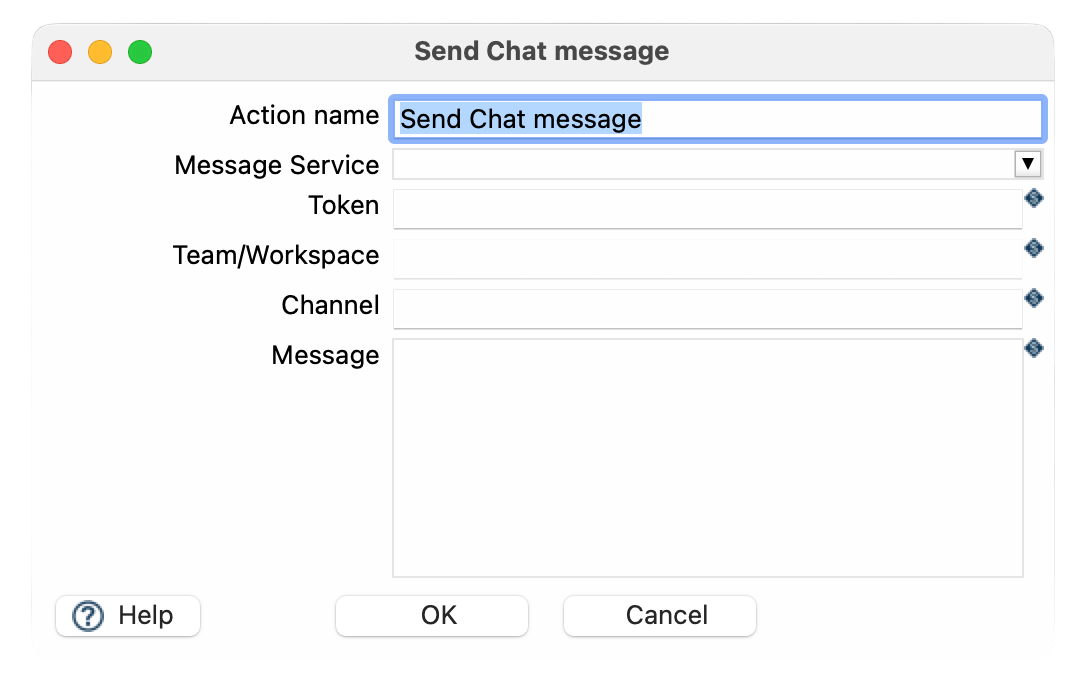
You configure the action in its dialog in Putki. These are the fields:
| FIELD | REQUIRED | DESCRIPTION |
|---|---|---|
| Action name | No | The name of the action as it appears in the workflow. It helps you find the action when debugging or reading logs. |
| Message Service | Yes |
How to connect to Slack:
|
| Token | Conditional |
Only when Message Service is Slack. A valid Slack Bot or User OAuth token with the
chat:write scope. Not needed for a webhook.
|
| Team/Workspace | No | Identifies the Slack team or workspace. Use the workspace ID. |
| Channel | Yes |
The Slack channel to post to:
#channel-name or the channel ID. The token or webhook must have access to it.
|
| Message | Yes |
The text of the message. Workflow variables are replaced with their values, for example
${Internal.WorkflowName}.
|
// PART OF PUTKI
The Chat action comes with Putki, the add-ons and support for running Apache Hop in production.